How To Delete a Sale
To delete a sale, follow these simple steps:
1. Open OnTrack AI Offline POS & eStore and log in.
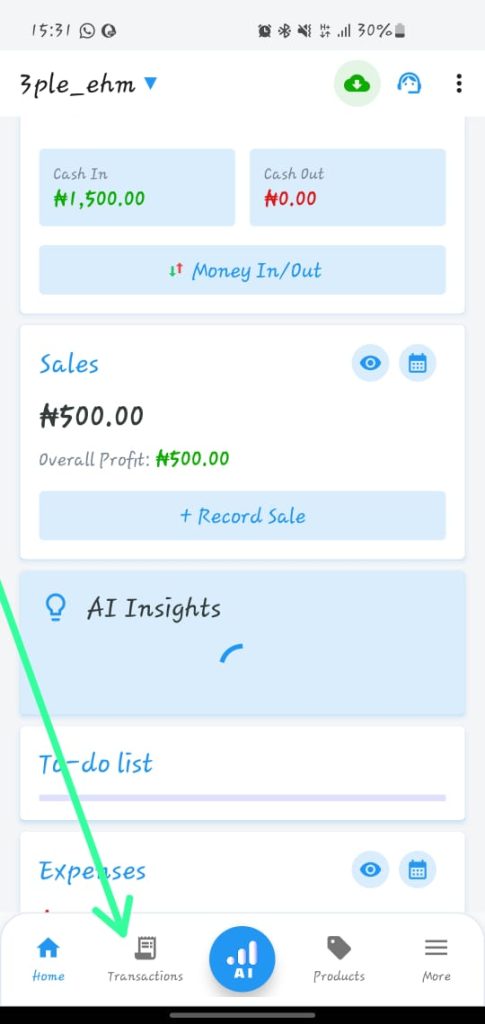
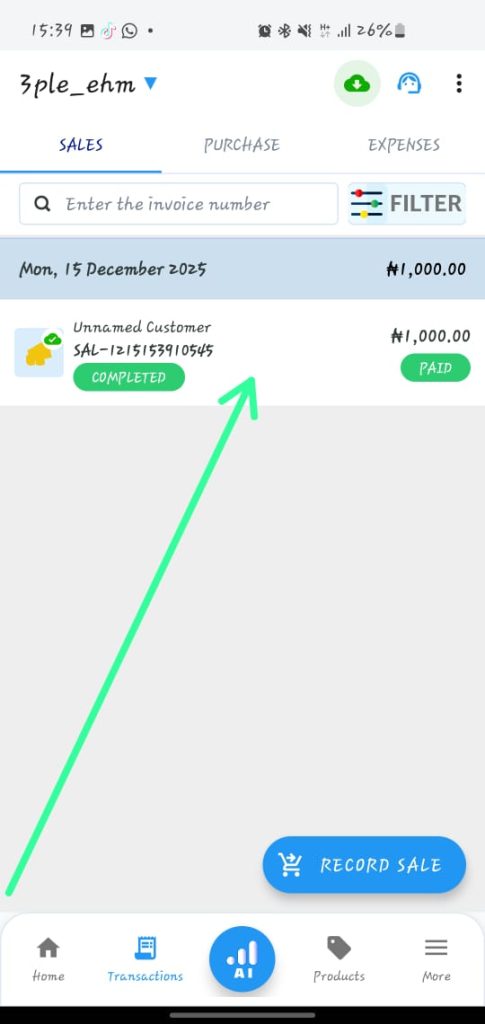
2. Click on the back arrow
3. Click on the customer
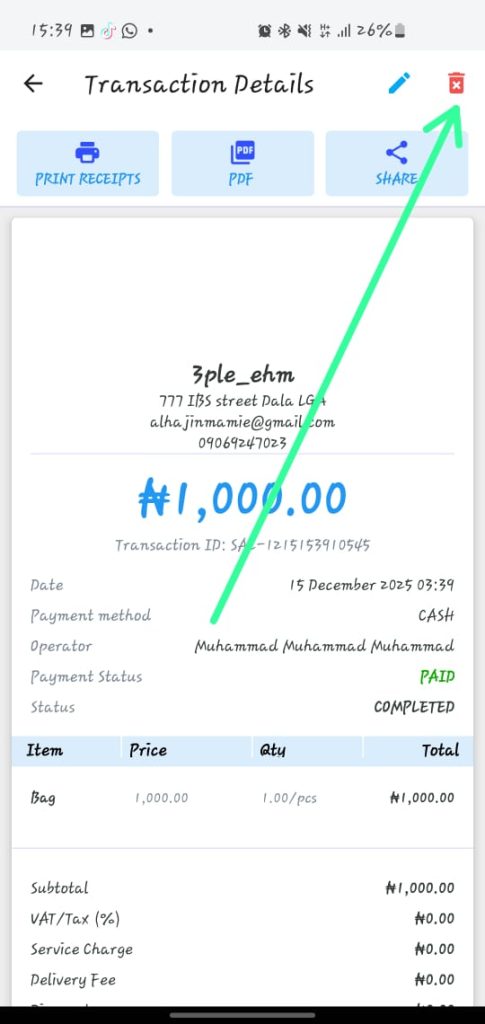
4. Press and delete
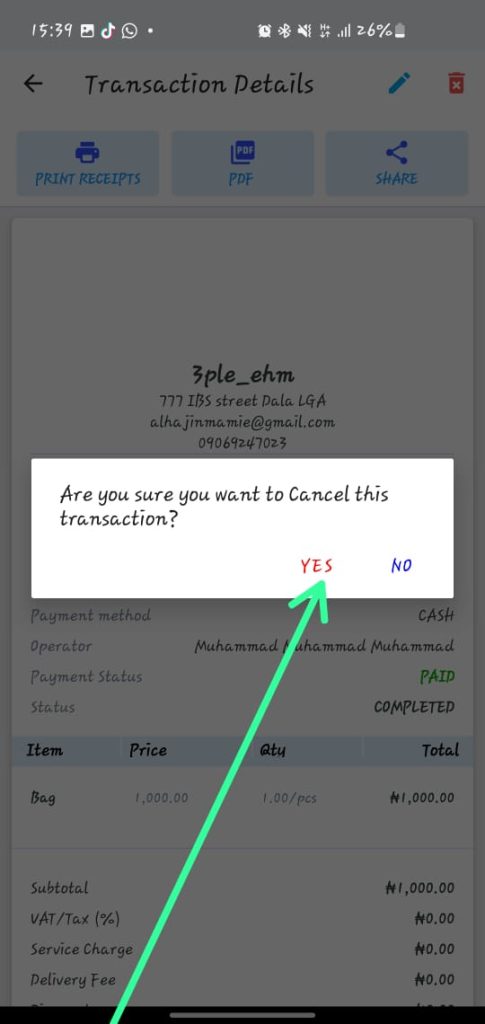







To delete a sale, follow these simple steps:
1. Open OnTrack AI Offline POS & eStore and log in.
2. Click on the back arrow
3. Click on the customer
4. Press and delete
