






How to Apply Discounts During a Sale
To apply a discount during a sale, follow these steps:
1. Open the OnTrack AI Offline POS & eStore and log in.
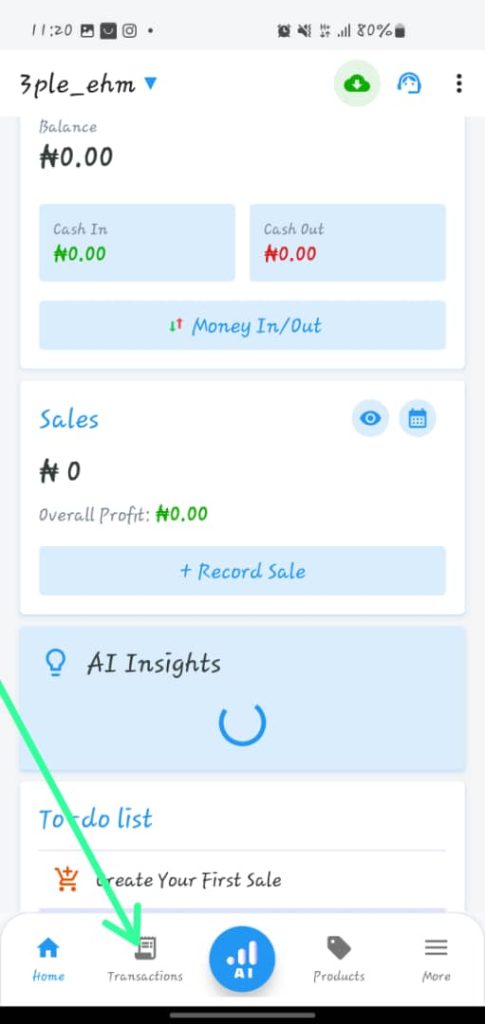
2. Click on the “Record Sale” tab, located at the bottom right corner. You will be directed to the Select Products page.
3. Click on the back arrow, located at the top left corner. You will be redirected to the “Sales” page.
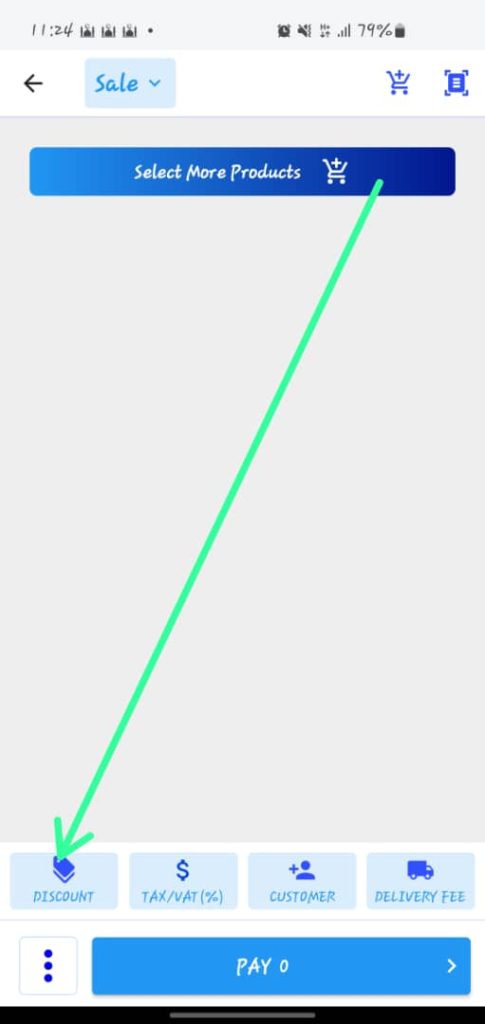
4. Click on the “Discount” Discount Type
Discount Name/Code
Discount Amount
5. Tap the Save button.
button, located at the bottom of the page. You’ll be redirected to the “Discount” page.
6. If you have already set up a discount, select it by clicking on it.
7. To create a new discount, click on the “New Discount” button, located at the bottom right corner.
8. Complete the discount form with the following details:
Discount Type
Discount Name/Code
Discount Amount
9. Tap the Save button.
