How to Record Credit Sale in OnTrack Desktop
1. Open Sales / POS.
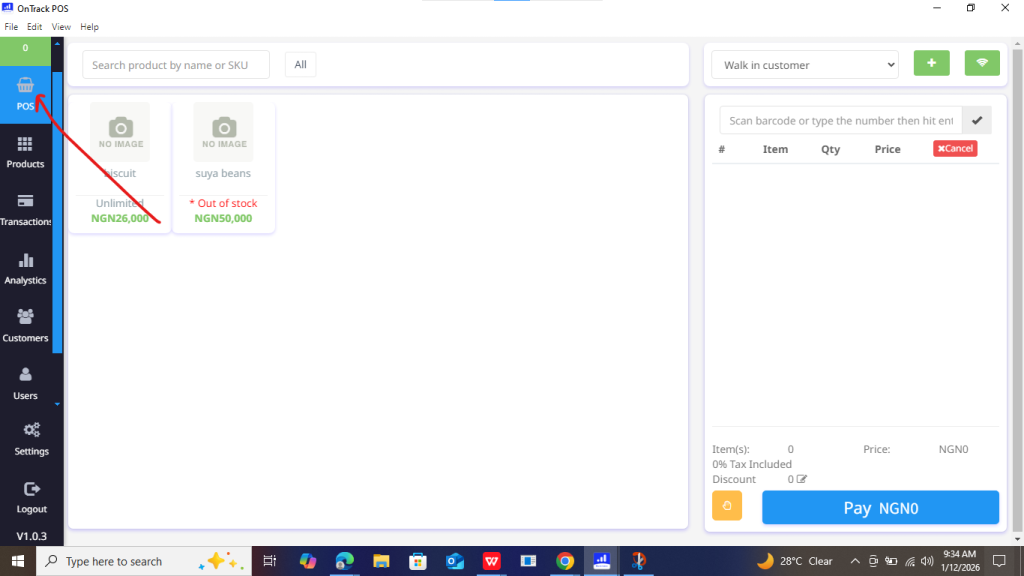
2. Select the customer (customer must be saved).
3. At the payment section, choose Credit.
4. Enter the amount paid (if none, enter 0).
5. Confirm the balance due.
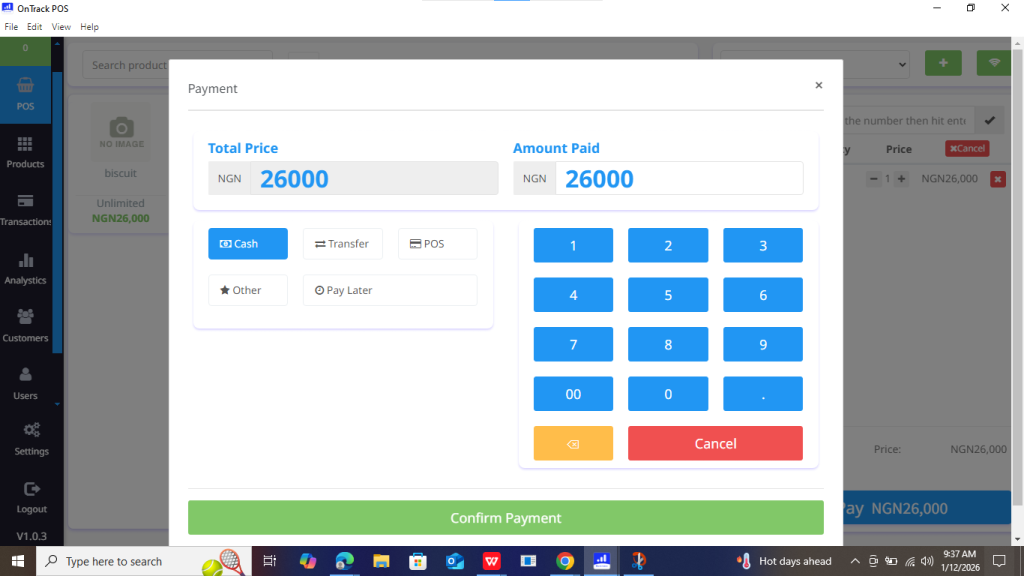
6. Click Save Sale.







1. Open Sales / POS.
2. Select the customer (customer must be saved).
3. At the payment section, choose Credit.
4. Enter the amount paid (if none, enter 0).
5. Confirm the balance due.
6. Click Save Sale.
