How to Apply discounts during a sale in OnTrack Desktop
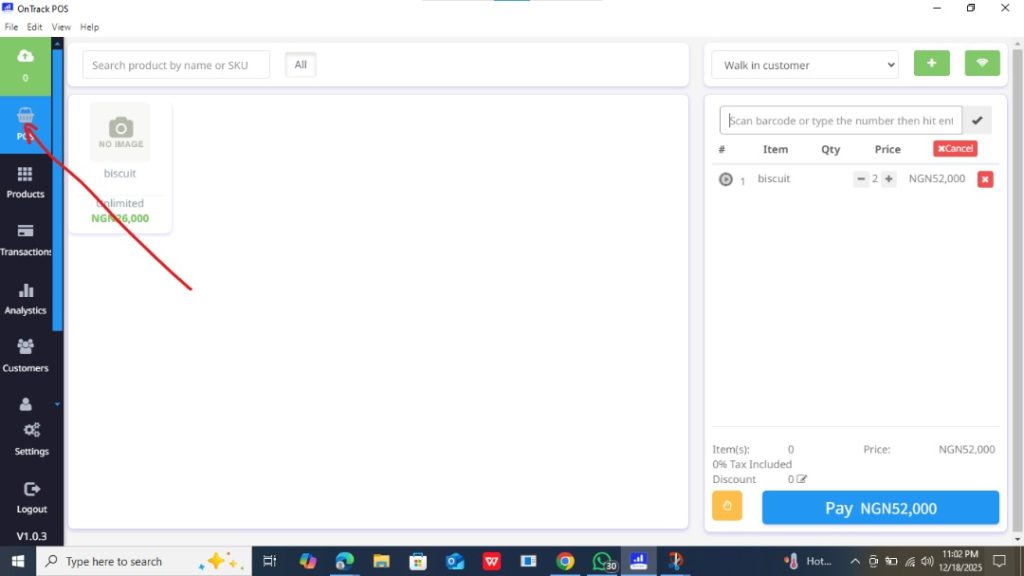
1. Open POS
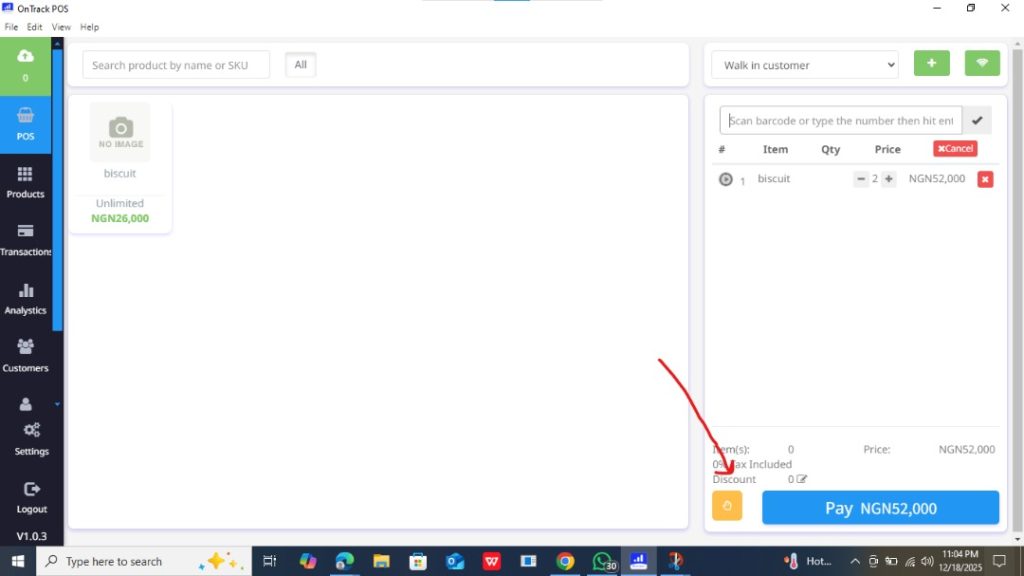
2. Click Discount.
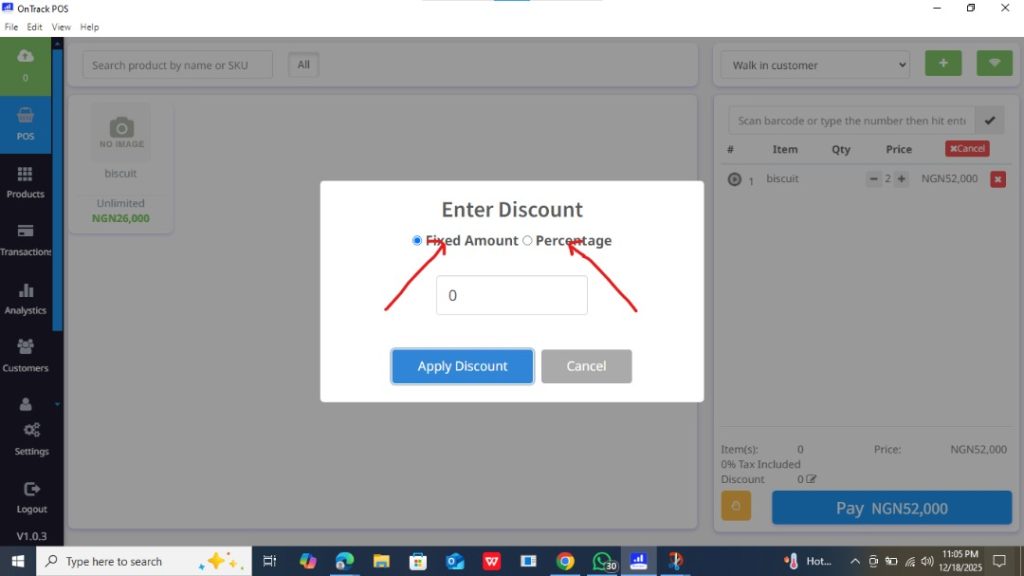
3. Enter:
Percentage discount, or Fixed amount discount.
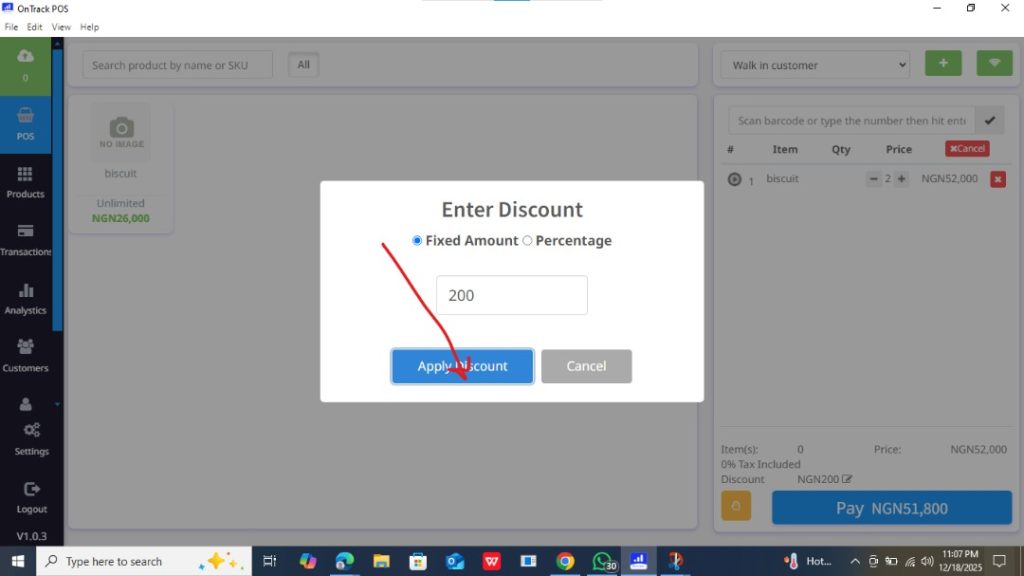
4. Apply the discount.
5. Confirm new total.
6. Complete the sale.







1. Open POS
2. Click Discount.
3. Enter:
Percentage discount, or Fixed amount discount.
4. Apply the discount.
5. Confirm new total.
6. Complete the sale.
