






How to Update Stock Quantity in OnTrack Desktop
1. Open the OnTrack POS App and log in.
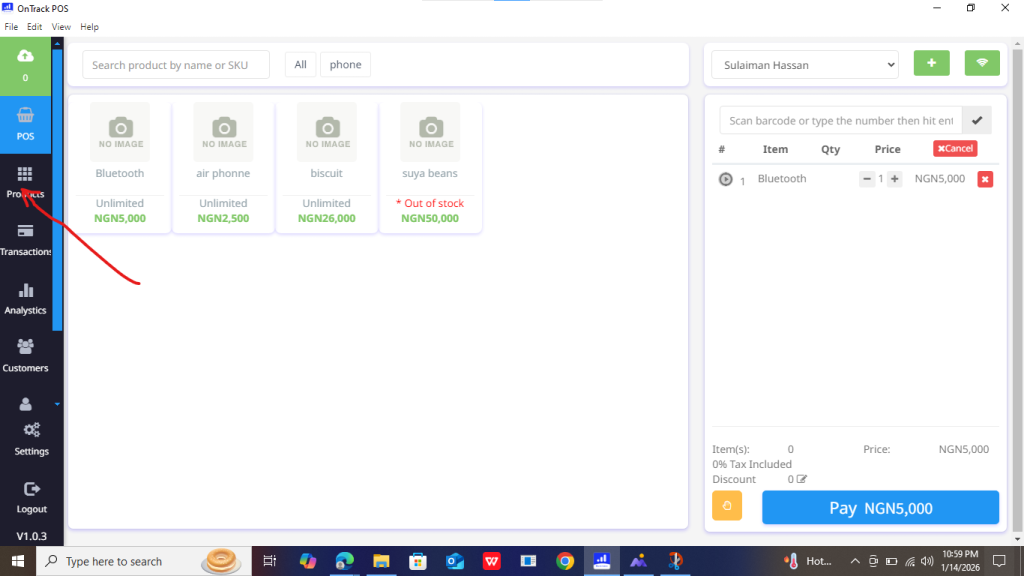
2. Navigate to the Products section.
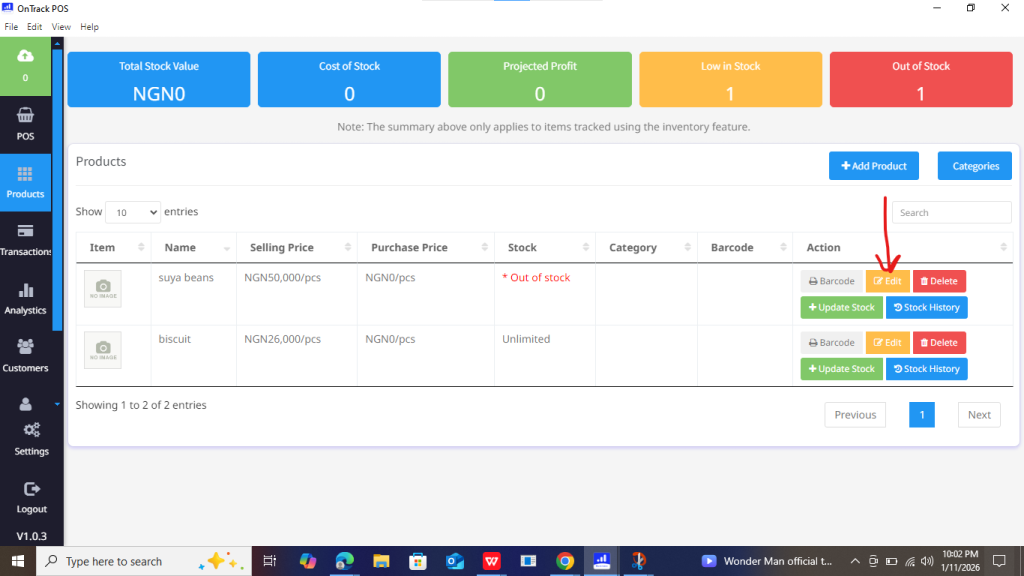
3. Locate the product, then click Edit.
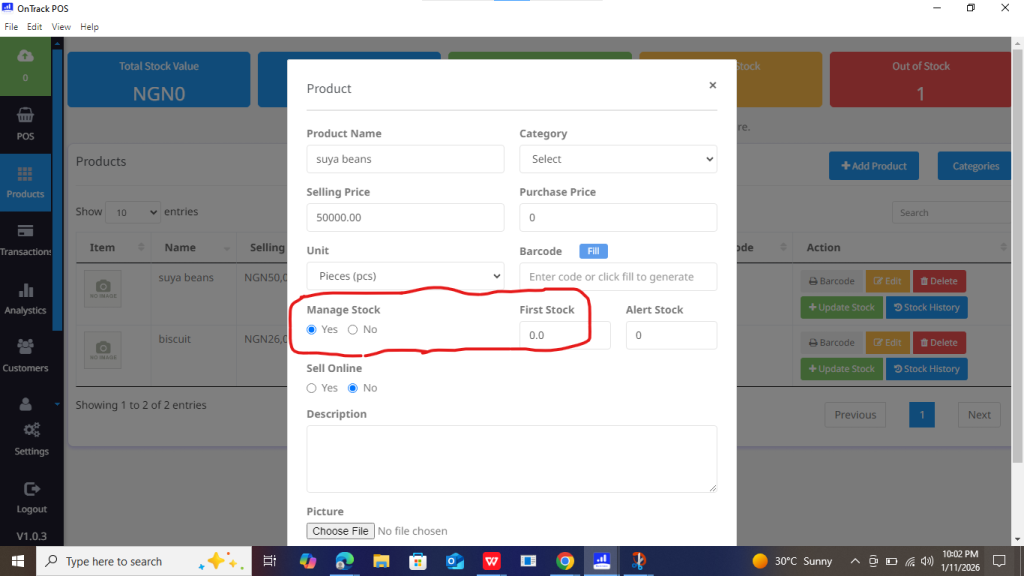
4. Under Manage Stock, toggle Yes and enter the new quantity in the First Stock field.
5. Click Submit to save updates.
