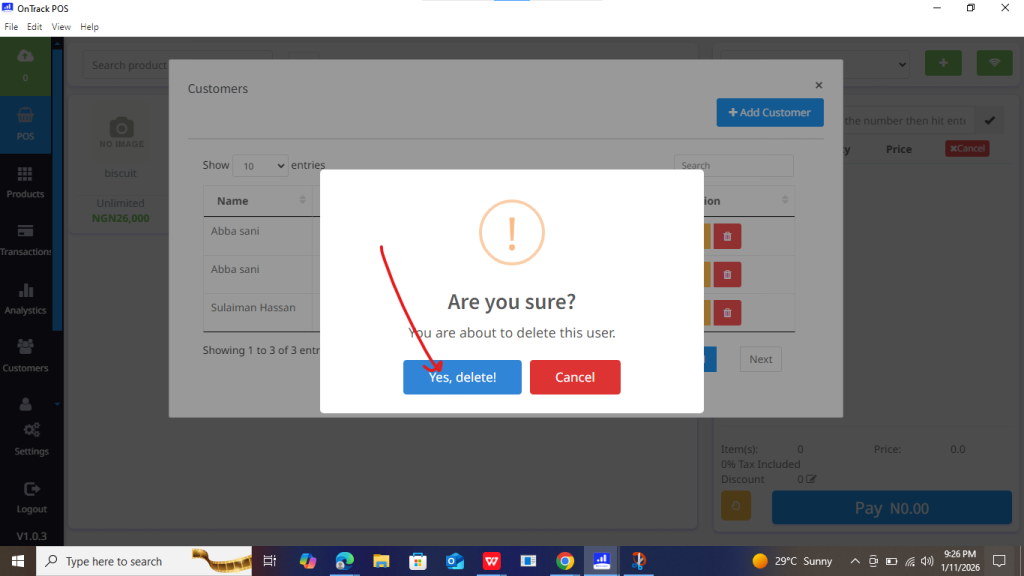
How to Delete a Customer in OnTrack Desktop
To remove a customer from your system:
1. Open the OnTrack POS App and log in.
2. Go to the Customers section from the left sidebar, which displays all registered customers (if there is/are any).
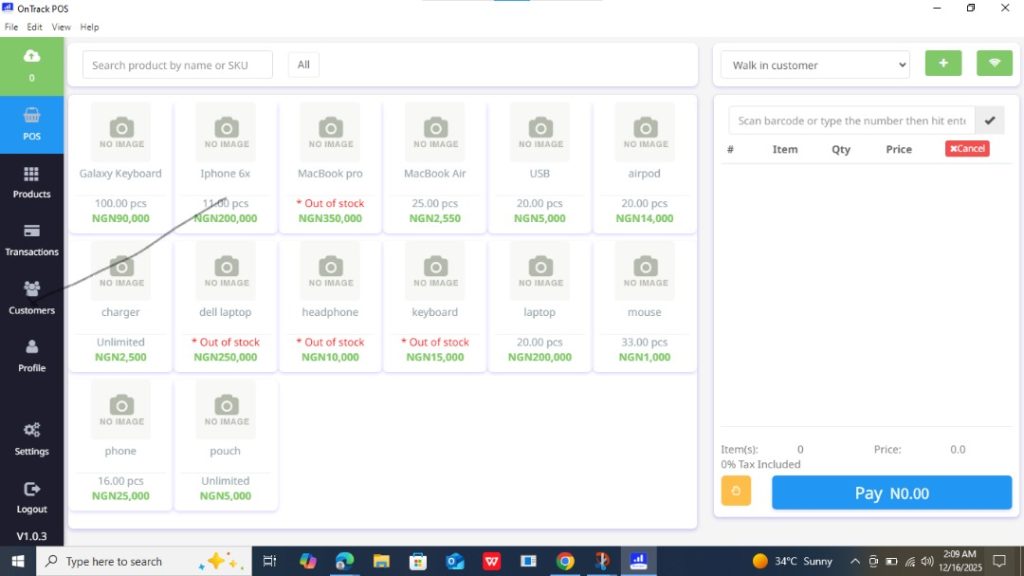
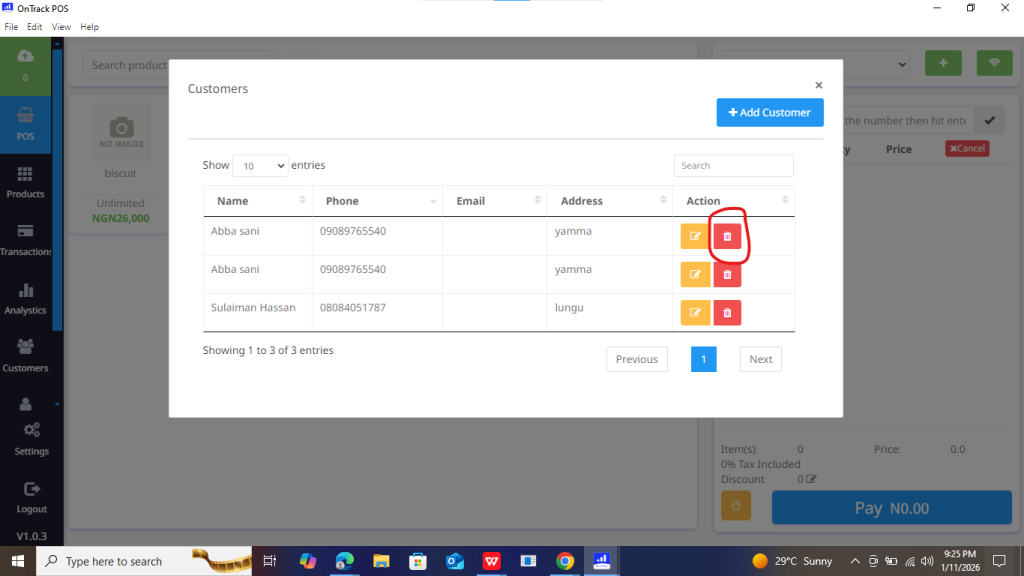
3. Locate the customer you wish to delete.
4. Click the Trash symbol to the right of his/her name (from the Action column),
5. confirm the deletion.