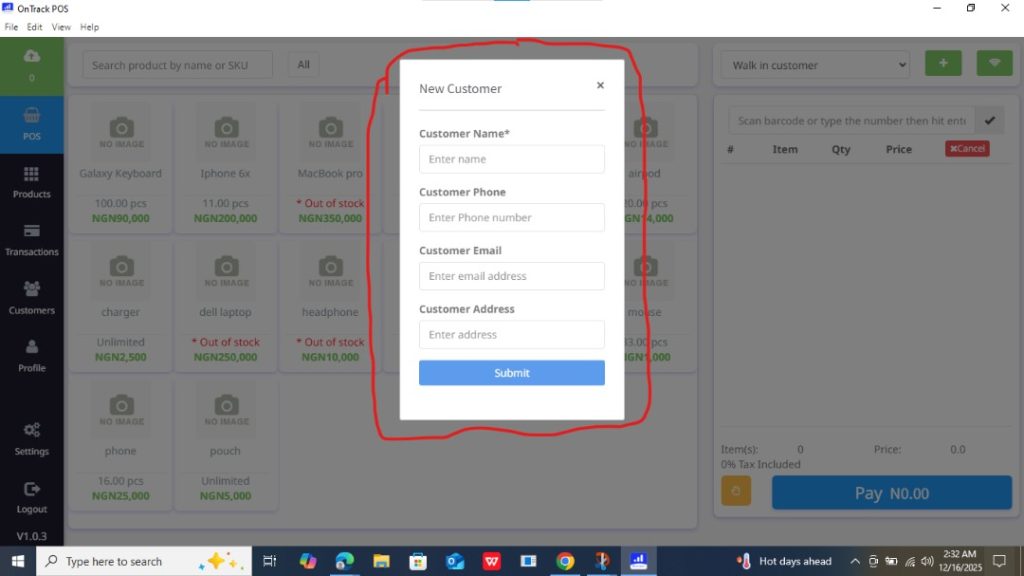
How to Add a New Customer in OnTrack Desktop
1. Open the OnTrack POS App and log in.
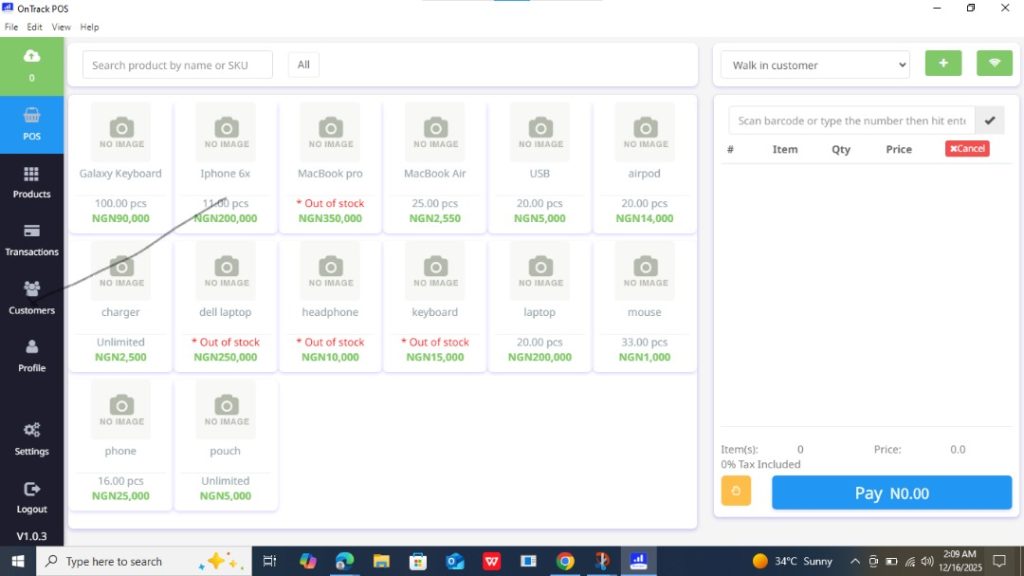
2. Navigate to the Customers section from the left sidebar.
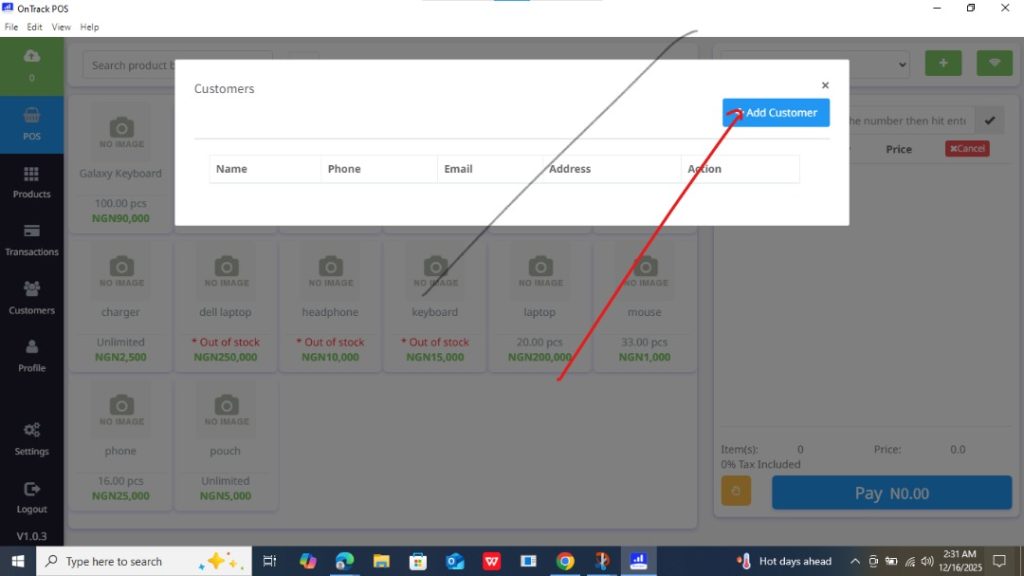
3. Click on the Add Customer button in the top-right corner of the page. This will open a new customer form.
4. Fill in the customer information (name, phone number, etc) in the form and click Submit to save the customer.