How to record partial payment in OnTrack Desktop
1. Create a sale normally.
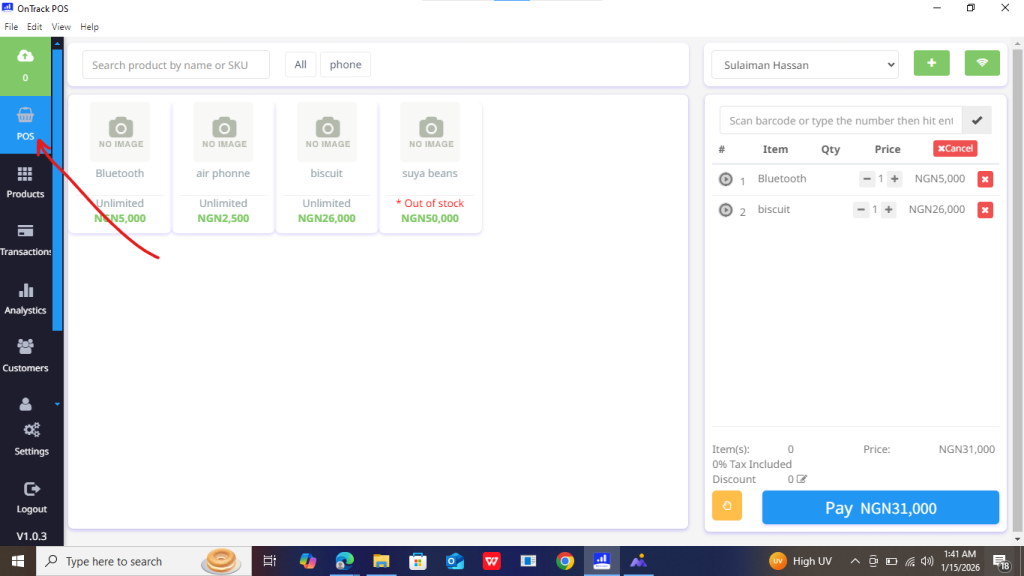
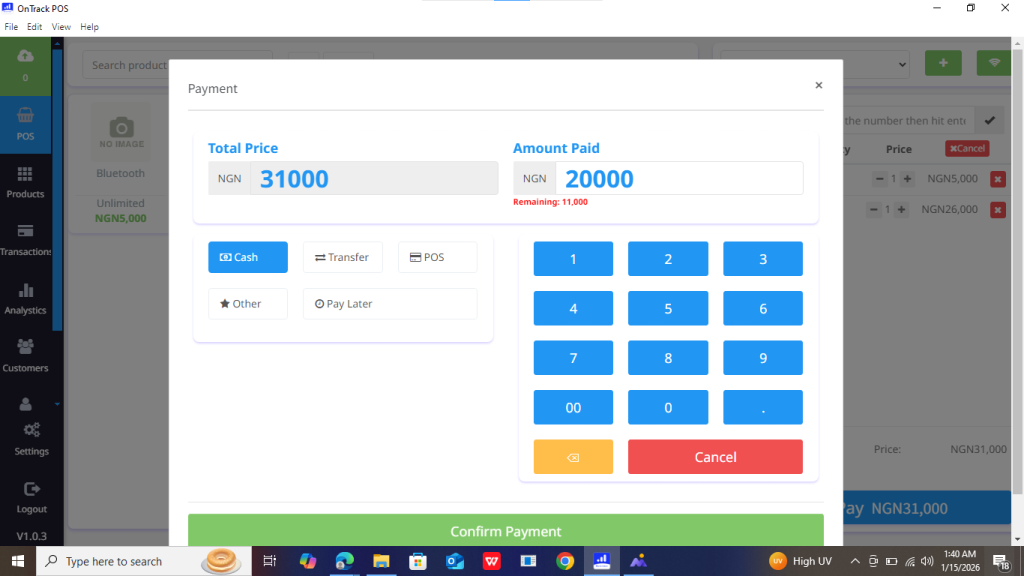
2. At the payment section, enter the amount paid.
3. The system automatically calculates the remaining balance.
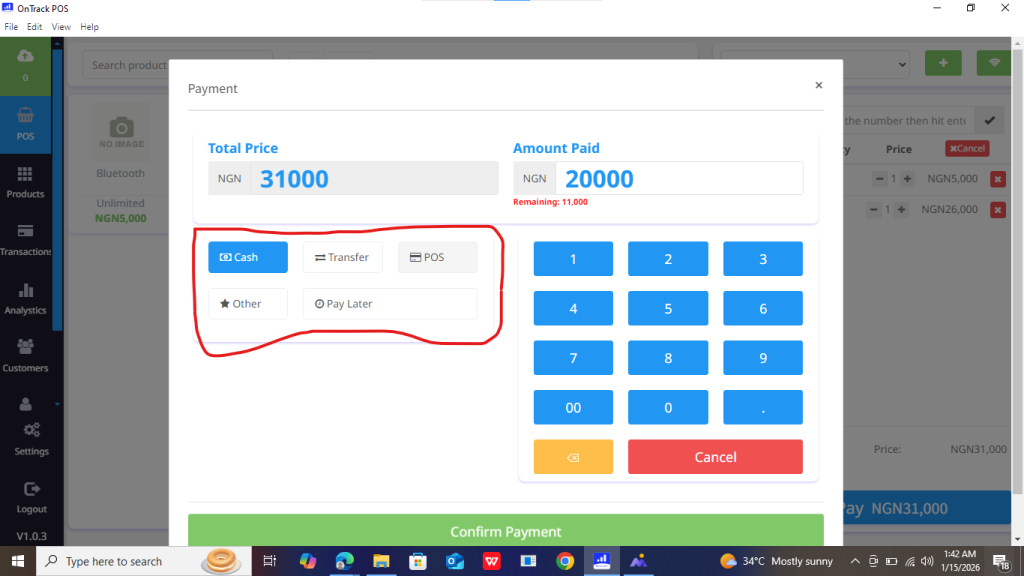
4. Choose payment type.
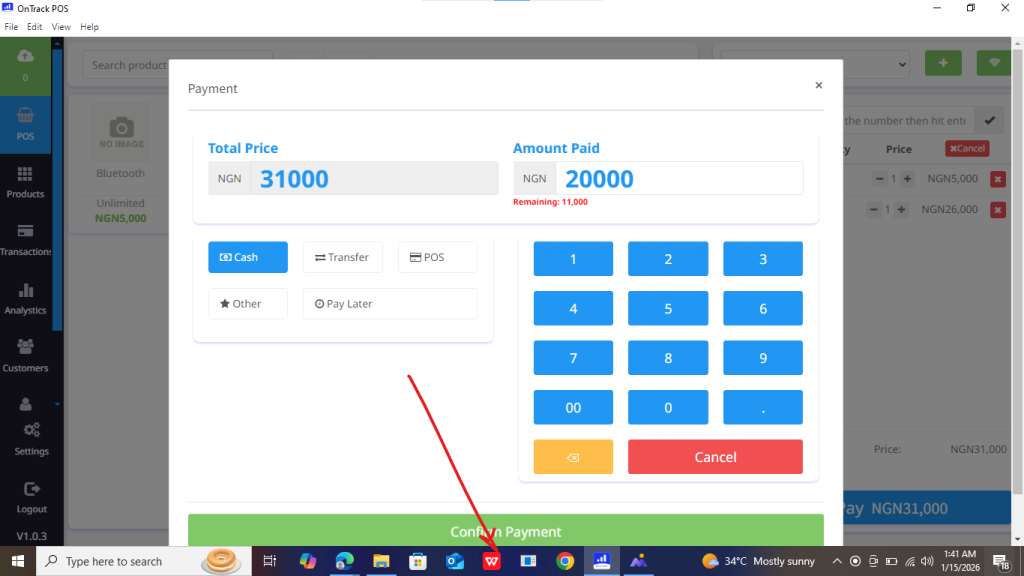
5. Click Save Sale.







1. Create a sale normally.
2. At the payment section, enter the amount paid.
3. The system automatically calculates the remaining balance.
4. Choose payment type.
5. Click Save Sale.
