






How to Update a Product
Edit existing product details by:
1. Opening the OnTrack POS App and logging in.
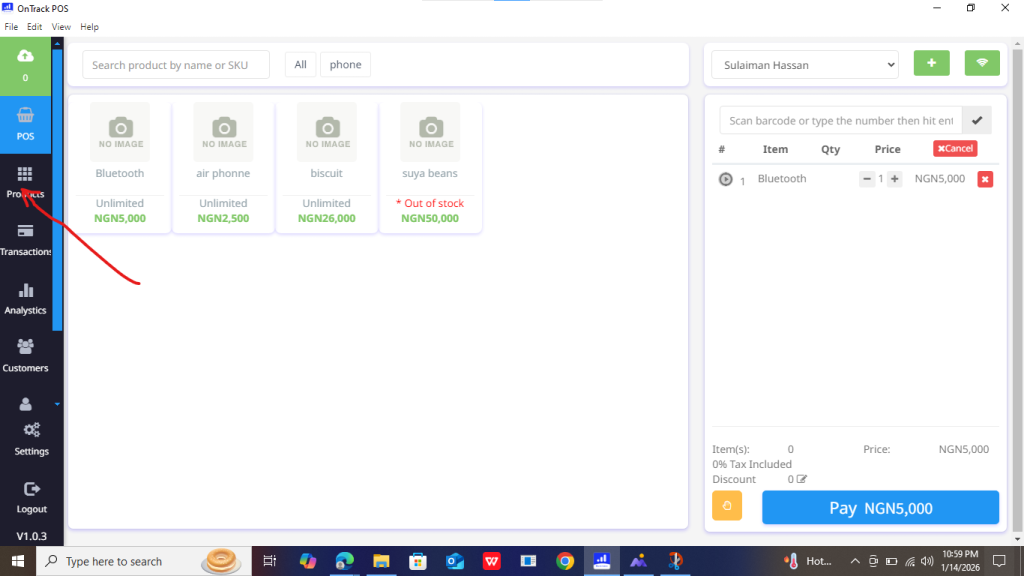
2. Navigating to the Products section and selecting the product.
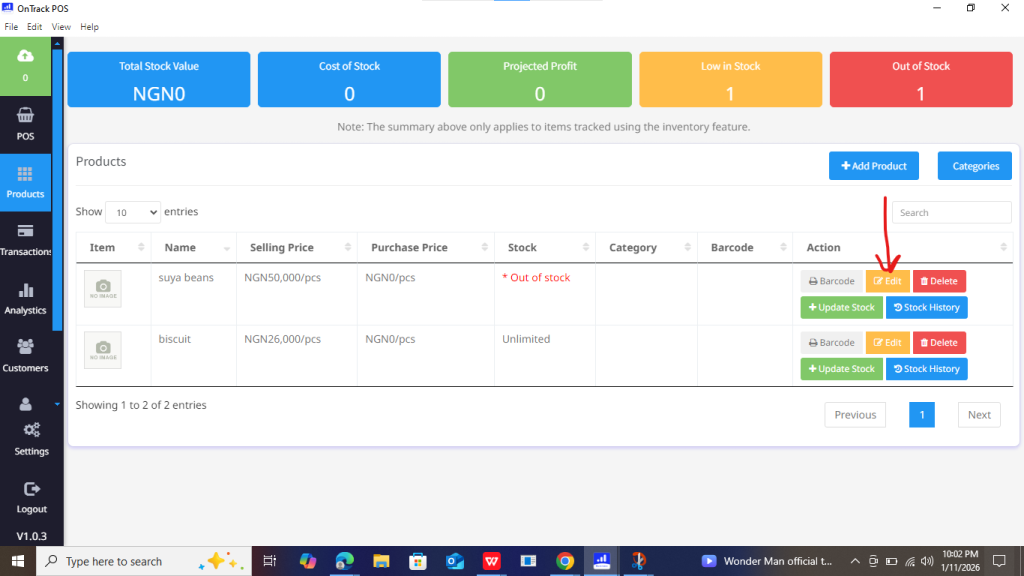
3. Locate the product you want to update and click Edit.
4. Modify/edit any field, such as stock quantity, stock alerts, product name, price, category.
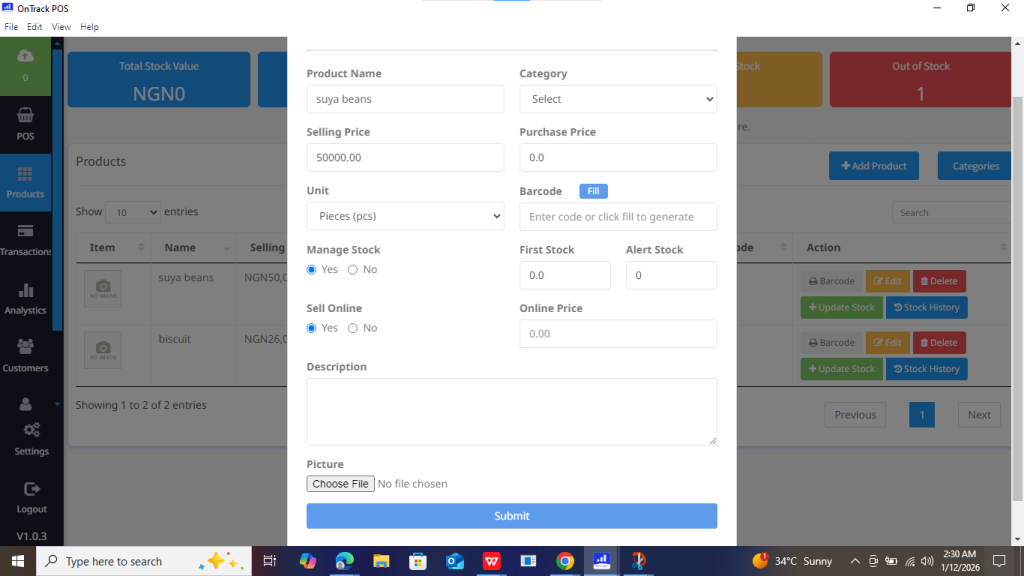
5. Save changes by clicking Submit.
